Drop an .exe, .dll, .msi or Microsoft Store package into EXE Inspector — or just press Space on it in Finder. You get a clear verdict, what it needs, its system requirements and every library it uses. Nothing is run, nothing leaves your Mac.

Drop an .exe, .dll or .msi — or a whole folder or .zip — and the verdict appears in your browser. A quick version of what the app shows.
The file is read in your browser and is never uploaded.
Nothing special needed — opens like a Mac app through PortWin.
Needs Visual C++, DirectX or .NET — installed in one click.
Setup programs and Store packages that install the real app.
Drivers, kernel anti-cheat, ARM-only and UWP — with the reason why.
Will it run on a Mac? Yes, with components, installer or no — and why.
Visual C++, DirectX 9–12, .NET, XAudio, PhysX and more, detected from the file itself.
Minimum Windows, processor, how much memory it can use, graphics card, disk space and which Mac fits.
Each DLL with a short explanation: part of Windows, shipped with the program, or needs installing.
Quick Look shows the full report without opening the app.
Reads .msix, .appx and bundles: the program inside, processors and minimum Windows.
If Chrome, Discord, Zoom and others have a native Mac app, it tells you.
No accounts, no analytics, no uploads. Files are only read, never run.
English, Русский, 简体中文, Deutsch, Español, Français. Light and dark themes.
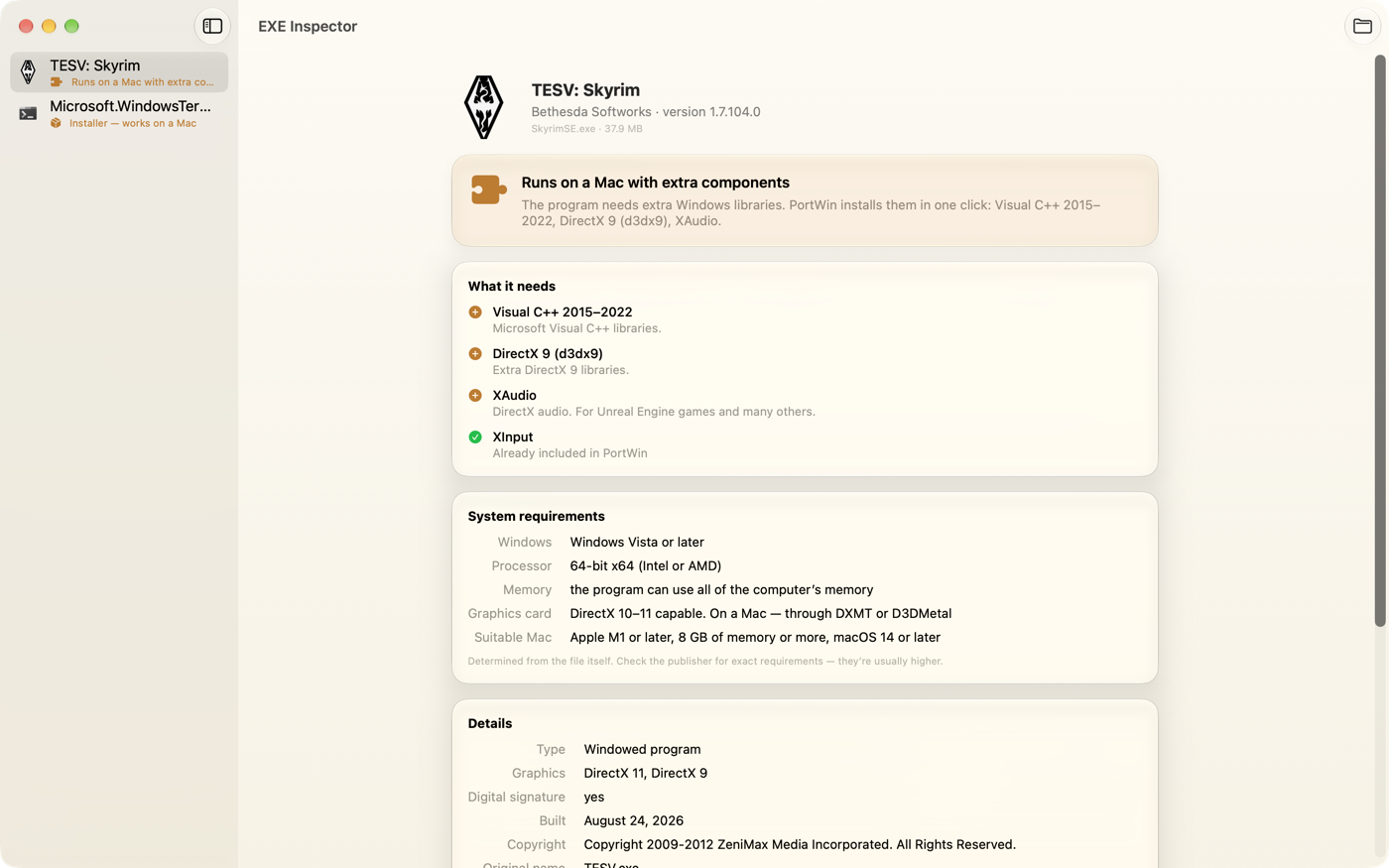
Drag an .exe, .dll, .msi or .msix into the window — or select it in Finder and press Space.
Verdict, components, system requirements, libraries, publisher, version and signature.
If it’s a go, open it in PortWin with one click — it sets up the rest. If the program crashes, PortWin’s Fix Automatically tries other settings for you.
PortWin runs Windows programs and games on your Mac without Windows or a virtual machine. EXE Inspector tells you if a file will work; PortWin makes it work. And if a program crashes, Fix Automatically tries other graphics, another Windows version and missing components — restarting it after each try.
Learn about PortWinYes. It’s free on the Mac App Store, with no in-app purchases, ads or subscriptions.
No. It only reads the file’s structure — headers, imports, resources and manifests. Nothing is executed, so it’s safe to inspect any file.
No — it’s an informed estimate from the file itself. Most programs behave as predicted, but some need specific settings, and online games may have server-side restrictions.
No. EXE Inspector works on its own. PortWin is our separate app for actually running Windows software on a Mac.
PortWin has a Fix Automatically button. It tries known fixes one by one — other graphics, another Windows version, missing components — and restarts the program after each. Settings that didn’t help are reverted. EXE Inspector shows in advance what it will try for your file.
.exe, .dll, .sys, .scr, .ocx, .cpl, .msi, .msix, .appx, .msixbundle and .appxbundle, plus old DOS and Windows 3.x programs. You can also drop a whole folder or a .zip archive — the programs and installers inside are found and checked one by one.
Never. Everything is checked on your Mac, and the app has no analytics or tracking.
Press Space on any Windows file — the answer is right there.
Coming soon on theMac App Store